Oak Cliff Software builds custom CRM systems for Dallas–Fort Worth businesses whose sales and service process does not fit a template. Often that means a group with several locations that needs one customer record across all of them, with room for how each office sells. Sometimes it means a single-site business whose CRM stops being useful the moment a contract is signed.
One customer record, with room for each office
When you run several locations, the hardest CRM question is not which fields to track. It is who the customer belongs to. The group needs one record so nobody calls the same person twice and leadership can see the whole relationship. Each office needs to feel ownership of the customers it serves. This tension is usually the first reason a group in DFW considers a custom CRM instead of adding seats to the one it has.
We design for both. The customer record is shared across the group, with one history of calls, visits, quotes and agreements. The relationship is local: each location has its own assigned contact, its own pipeline view and its own follow-up routines. A multi-location CRM built this way lets the McKinney team see that a customer was quoted in Fort Worth last month, without taking that customer away from Fort Worth.
Access rules follow the same pattern. Staff see their own site's work by default. Leaders see across sites. Sensitive fields can be limited to the roles that need them.
Signs your current CRM is working against you
A packaged CRM is often the right answer, and we will say so when it is. These are the signs that it may not be:
If several of these sound familiar, a custom CRM may cost you less in daily friction than the workarounds do now. If only one applies, we may recommend configuring what you have, or connecting it to other tools where the vendor's APIs or integration options allow.
- Reps keep a spreadsheet next to the CRM because the stages do not match how they actually sell.
- Each office has its own workaround, so leadership cannot compare pipelines.
- The record goes quiet after the deal closes, and delivery runs on email.
- You pay for features nobody uses while missing the one your process depends on.
- Commissions or bonuses are calculated by hand at the end of every period.
- 1 Lead
- 2 Conversation
- 3 Proposal
- 4 Signed and paid
- 5 Delivered
Connecting the sale to the work your locations deliver
For most businesses, the sale is the middle of the story. After signature comes scheduling, ordering, onboarding, the work itself and the invoice. When the CRM stops at signed, every one of those steps starts with someone retyping what the salesperson already knew.
In a system we build, the agreement is the trigger. A signed and paid order can create the onboarding tasks, assign the delivery team at the right location, and carry the scope, notes and documents forward. Sales can see delivery status without asking. Delivery can see what was promised without digging through email. For many Dallas owners, that handoff turns out to be the most valuable part of a custom CRM.
This is where CRM development overlaps with the rest of your business systems. We connect the customer record to scheduling, inventory or accounting where those tools allow it, or build the missing piece when they do not.
✕The same customer has separate records at different offices
✓One shared record with a local owner at each site
✕The CRM goes quiet once the contract is signed
✓Signed and paid triggers onboarding and delivery tasks
✕Reps keep spreadsheets beside the CRM
✓Stages and fields match how your team really sells
✕Each office reports its pipeline its own way
✓Shared stage definitions across every location
✕Commissions calculated by hand at period end
✓Commercial work traced back to the people involved
What we learned building Rep Hub
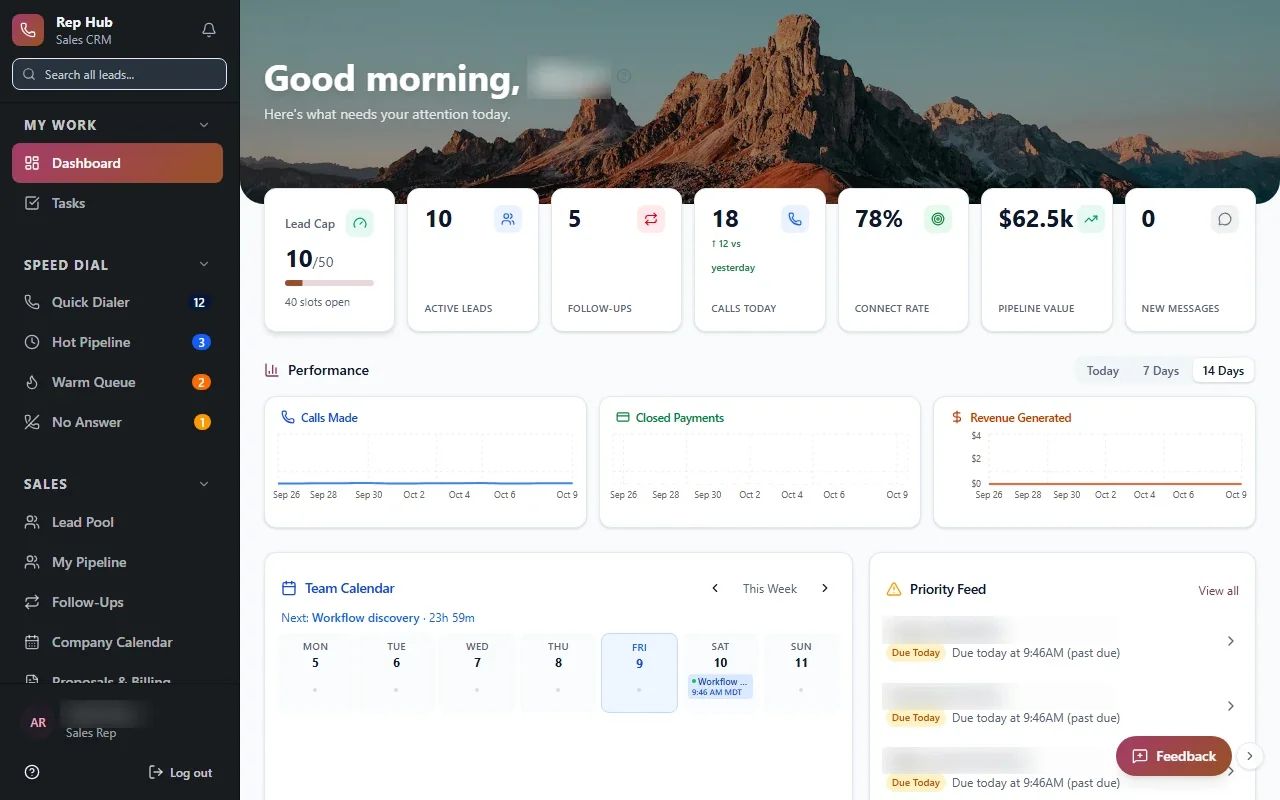
Rep Hub is a platform we built for a sales organization. It connects recruiting and training with a daily rep workspace for leads, calls, proposals and contracts. When an agreement is signed and paid, that triggers activation and delivery, and commissions are tracked back to the people involved.
The lesson from that build applies to most CRM projects. A rep's day includes far more than the pipeline: preparation, follow-up, paperwork and getting paid. When those pieces live in one place, reps spend their time with customers instead of updating fields. When they live in separate tools, the CRM becomes a chore people fill in for their manager.
Not every business needs recruiting or commissions in its CRM. The point is to include the work around the sale that your team actually does, and leave out what it does not.
What each person sees when they open a customer
A CRM is used by people with very different jobs, and a good one shows each of them what they need first.
Same record, different starting points. That is how we keep a custom CRM simple enough for daily use while still giving leadership the cross-site view it needs.
- A front desk or inside sales coordinator sees today's follow-ups and the customer's most recent interactions.
- A salesperson sees open opportunities, proposals waiting on a response, and anything delivery has flagged.
- An office manager sees their location's pipeline, upcoming work and customers who have gone quiet.
- An owner or regional leader sees every location side by side, using the same stage definitions.
The system handles
- Logging activity
- Creating onboarding tasks
- Calculating commissions
Your people decide
- Building relationships
- Pricing decisions
- Coaching the team
Three decisions to make before anything is built
During Discover, we work through three decisions with your team. They shape everything that follows.
Then we design, build a focused first release, and pilot it at one location with the people who will use it. You see and test working software during Build. You own the code and the data. For Dallas–Fort Worth businesses comparing a custom CRM with yet another subscription, that ownership is often part of the decision.
- What are your real stages? The steps a customer actually moves through, and what proves each one is done.
- What makes two records the same customer? Name, phone, address or account number. Getting this right decides whether your group ends up with one record or many.
- Which numbers will leadership trust? We agree what counts as a lead, an opportunity and a won deal, so every location reports the same way.