Dallas, TX
healthcare software · dallas

EHR Integration for Dallas–Fort Worth Healthcare Groups, Documented and Monitored

The EHR holds the chart, but intake, referrals, scheduling, billing prep and reporting usually live in other tools around it. Oak Cliff Software builds connections between your EHR and those tools so staff stop retyping and someone is told the moment a sync stops.

3 min read · 4 sections · 4 answers

No retyping

Approved data moves on its own.

Failures noticed fast

Alerts reach a named owner.

Charts stay clean

Uncertain records wait for review.

Nothing undocumented

Every flow is mapped and owned.

We connect where the vendor's APIs or integration options allow, write down every data flow and name an owner for each one. Every system is fully HIPAA compliant.

01

Every data flow written down

Before building, we review what your EHR vendor documents and supports, then map each flow: what moves, in which direction, how often and who owns it. That map is part of the handover, so your team is never guessing.

  • Patients and demographics
  • Appointments and visit status
  • Referrals and documents
  • Orders, results and reports where allowed
02

Monitoring and alerts

Every connection reports whether it is running. When a sync slows or fails, the owner gets an alert with what failed and what to check, instead of a staff member noticing missing data days later.

// how ehr integration flows
  1. 1 Change detected
  2. 2 Checked against the map
  3. 3 Sent
  4. 4 Receipt confirmed
  5. 5 Logged
03

People review what reaches the chart

Nothing uncertain is written to the chart automatically. Records that need a human check wait in a review queue, and every write is logged.

TodayWith ehr integration

✕Staff copy data into the EHR

✓Approved data flows automatically

✕Broken syncs found days later

✓Alerts the moment a sync stops

✕Nobody knows what connects where

✓A written map of every flow

04

Working with your vendors

Some vendors offer modern APIs, some offer exports, and some require their own interface. We tell you plainly what is possible with yours before you commit.

The system handles

  • Sending approved fields
  • Retrying a failed exchange
  • Alerting the integration owner

Your people decide

  • Approving the field ownership map
  • Fixing records that do not match
  • Working with the EHR vendor
your first release

What a first ehr integration release includes

A focused starting point, shaped with your team in Discovery and adjusted to how your Dallas team works. Then we build on it.

  1. Discover
  2. Design
  3. Build
  4. Launch
  5. Optimize
Plan your first release →
release planEHR Integration · v1.0Ready to scope
  • EHR vendor review01
  • Data flow map with owners02
  • Monitored connections03
  • Review queue for uncertain records04
  • Alerts and runbook05
  • Handover documentation06
Then: connect more tools, add automation and AI as your team is ready.
in practice

What ehr integration looks like day to day

Illustrative scenarios, not client stories.

A multi-site group in Arlington and Mansfield

Picture intake and scheduling tools that staff copy into the EHR by hand. Approved intake details and appointments now flow to the chart, and the practice manager gets an alert if the connection stops.

Build something like this →Every system is shaped around your own process.
faq

EHR Integration: questions we hear

Still unsure? Ask us directly.

Is it HIPAA compliant?

Yes. It is built for full HIPAA compliance: encryption, multi-factor sign-in, role-based access, audit trails, a HIPAA-trained team member on the project and a signed BAA.

Which EHRs can you connect to?

We connect where the vendor's APIs or integration options allow. We review your vendor's documentation first and tell you what is realistic.

What happens when a connection fails?

The owner is alerted with what failed and what to check, and nothing uncertain is written to the chart.

Who owns the software?

You do. The code, the data and the documentation are yours after launch.

often built together

EHR Integration works best connected

Most teams start with one system and connect the next when they are ready. These are the services most often built alongside ehr integration, on the same record.

All services →
built by our team

See the pattern in a real system

Recruiting, training, contracts and commissions in one sales platform, where a signed and paid deal starts delivery.

All highlighted work →
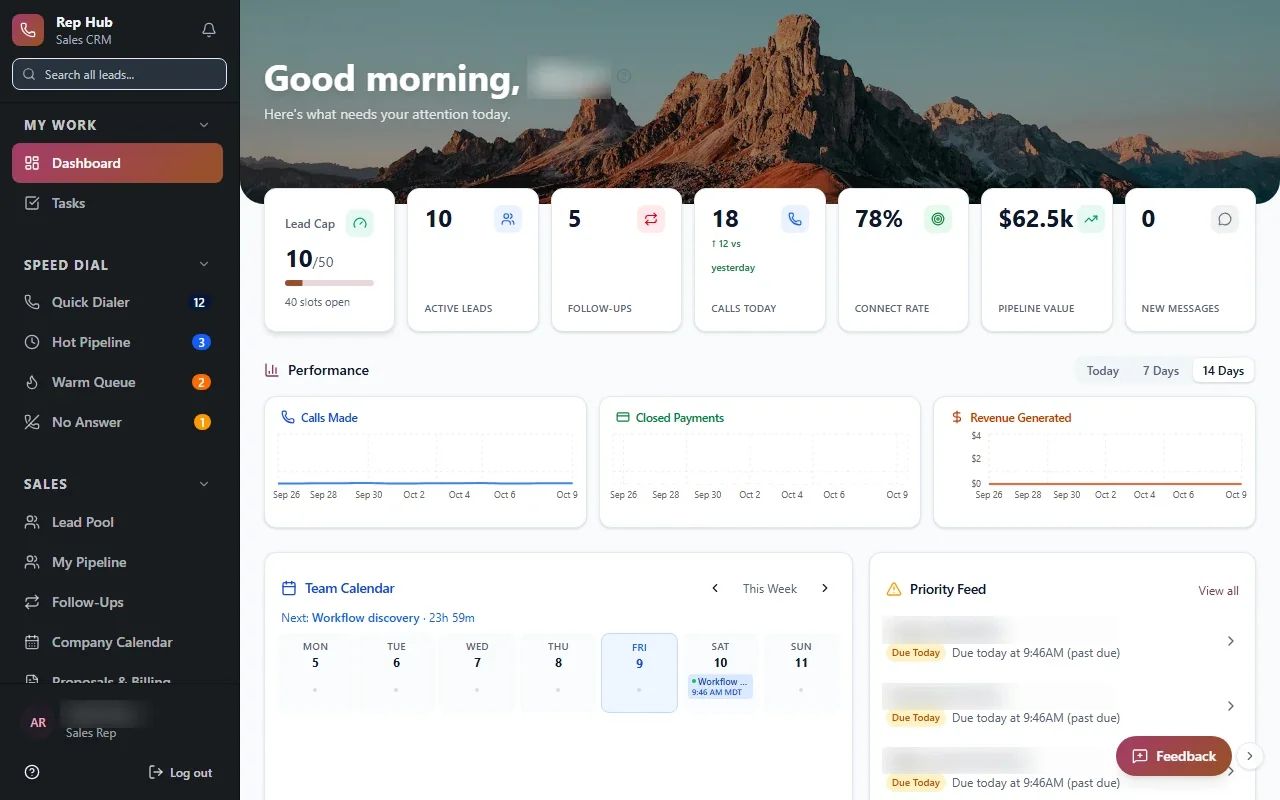
Rep HubRep Hub sales dashboard with lead pipeline, team performance, calendar and tasks Built · Sales organizationRep HubFrom joining the sales team to delivering the sale, in one connected platform.View the project →

Start with the problem. We'll build the possibility.

Tell us what slows your team down. We'll map it with you and suggest a useful first release, whether you're in Dallas or anywhere in Dallas–Fort Worth.