
Griffin Winship Coaching
A command center that shows who is visiting, who is applying for coaching and who is waiting on a reply, with analytics from first visit to application.
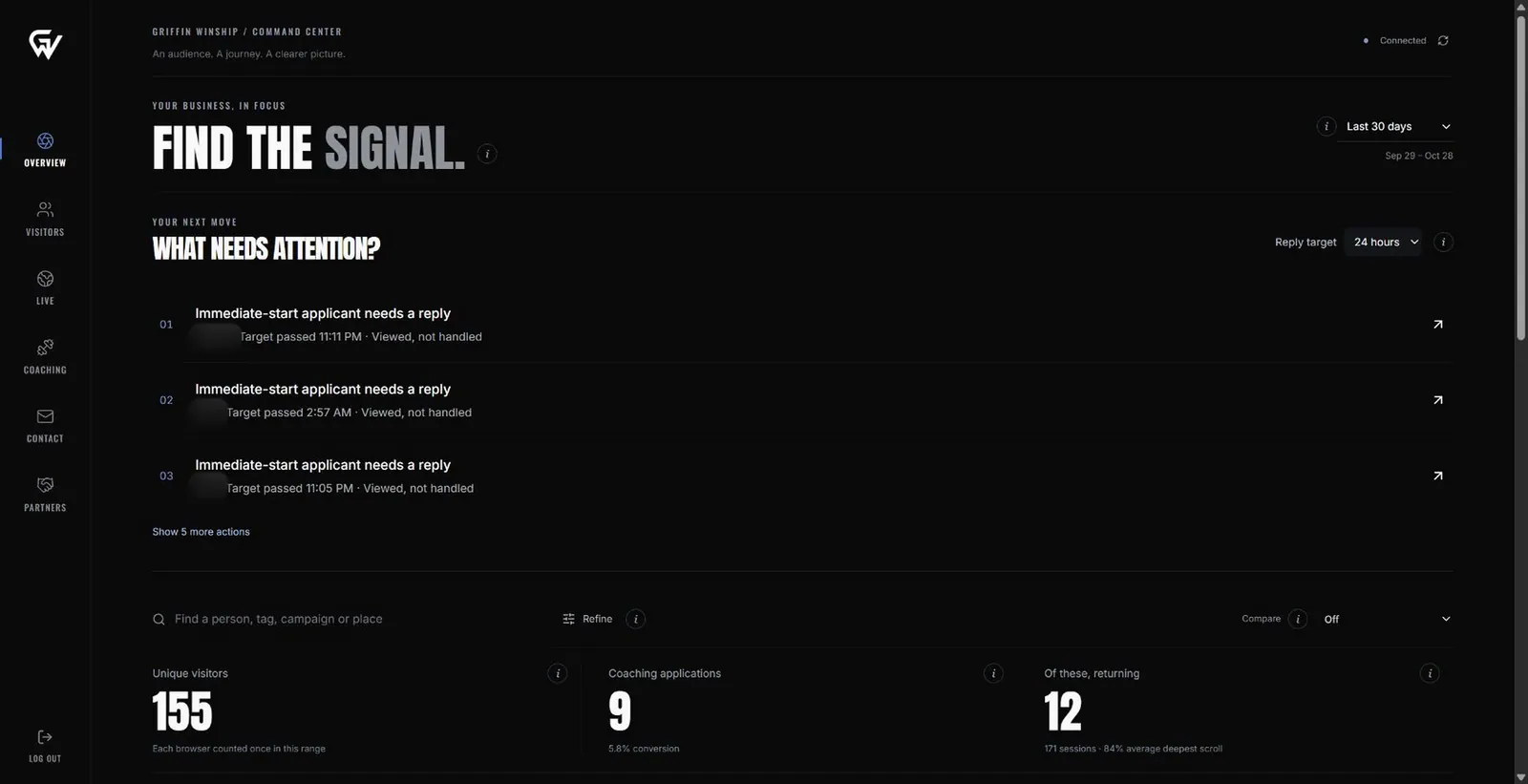
A command center, admin panel and analytics panel built for Griffin Winship Coaching. Visitor and applicant details are blurred.
How the work moves
- Track the visit · Website
- Recognize the person · System
- Catch the application · System
- Reply and follow up · Coach
- Learn what works · Coach
Where the work was getting lost
Coaching applications, partnership requests and half-finished forms came in separately, with no single place to see who was waiting on a reply.
There was no clear picture of where visitors came from, which pages worked, or where people stopped filling in the application.
Follow the work, step by step
It plays on its own. Click any step to jump to it.
Track the visit
Each visitor's source, pages, device and location are recorded from the first visit.
Recognize the person
Once someone shares a name, email or handle, their earlier visits are joined into one profile.
Catch the application
Completed applications go to a queue, and unfinished ones are saved for recovery.
Reply and follow up
The command center lists who is waiting on a reply, with a next action and follow-up date for each.
Learn what works
Analytics show sources, pages, campaigns, devices and where the application pauses.
Every role sees its own work
Pick a role to see its view. The screens are illustrations, not client data.
Coach workspace
- Who needs a replyNeeds you
- Applications and partnershipsIn progress
- Visitor profiles and journeysUp next
Each role sees the work it owns. Everyone works from the same record.
Marketing workspace
- Traffic sources and campaignsNeeds you
- Page performanceIn progress
- Funnel and drop-offUp next
Each role sees the work it owns. Everyone works from the same record.
What runs itself, and what stays human
Automated
- Recording visits and joining them to a person
- Saving unfinished applications
- Flagging overdue replies
People decide
- Replying to applicants
- Choosing who to coach
- Partnership decisions
The difference it makes
- The coach opens one screen and sees exactly who is waiting on a reply.
- Unfinished applications are saved, so interested people aren't lost.
- Traffic, campaigns and pages are measured by the applications they bring, not just visits.

Why this matters for healthcare, manufacturing and sales: One command center that shows who is visiting, who applied and who is waiting on a reply.
28 real screens from Griffin Winship Coaching
Filter by module, use the arrows, or open any screen full size. Customer names and amounts are blurred or sample data.
Build something like this
Custom CRM & Business Systems
A CRM shaped around your real sales and service process, connected to the work that happens after the sale.
Learn more →Internal Tools & Dashboards
Tools and dashboards that show your team what needs attention and why, not just more charts.
Learn more →Workflow Automation
Defined steps run on their own: assign this, ask for that, remind them, hold it until it is approved.
Learn more →
Start with the problem. We'll build the possibility.
Tell us what slows your team down. We'll map it with you and suggest a useful first release, whether you're in Dallas or anywhere in Dallas–Fort Worth.