Dallas, TX
healthcare software · dallas

Patient Intake Software for Dallas–Fort Worth Clinics and Practice Groups

Front desks across Dallas–Fort Worth still retype what patients already filled in online, then discover a missing insurance card when the patient is standing at the counter. Oak Cliff Software builds patient intake software that collects the right packet for each visit type before the patient arrives and tells staff exactly what is still missing.

3 min read · 4 sections · 4 answers

Less retyping

Patients enter details once.

Fewer lobby surprises

Missing items are found days before the visit.

Clear ownership

Every gap has a named staff member.

One flow for every office

Forms are updated once for the whole group.

We build it around how your offices run, connect it to your EHR where the vendor allows, and keep every clinical decision with your staff. Every healthcare system we build is fully HIPAA compliant.

01

A packet that fits the visit

A new patient visit, a procedure and a telehealth follow-up need different forms. Intake software sends each patient the packet their appointment requires, in plain language, on a phone. Patients can stop and finish later, and answers they gave last time are offered again instead of retyped.

Each office in a practice group can keep its own consent forms and questions while sharing the same intake flow.

  • Demographics and contact details
  • Insurance card photos and coverage details
  • Consent and policy forms
  • Visit-specific questionnaires
  • Pharmacy and referring provider
02

Gaps found before check-in, not at the counter

Every packet is compared with the list its appointment type requires. When something is missing, the patient gets a reminder, and if the visit is close, the front desk sees it on a short list with the owner named. Nobody has to open each chart to find out who is ready.

// how patient intake software flows
  1. 1 Packet started
  2. 2 Requirements compared
  3. 3 Gaps requested
  4. 4 Assigned to staff
  5. 5 Cleared for visit
03

A clean handoff to the chart

Once a staff member confirms the packet, approved details pass to the EHR where its integration options allow. Unclear answers wait for a person instead of being written to the record. Every change is logged with who made it.

TodayWith patient intake software

✕Paper packets retyped at the desk

✓Details entered once by the patient

✕Missing cards found at check-in

✓Gaps flagged before the visit

✕Each office keeps its own forms

✓One flow with office-specific rules

04

One flow across every office

For groups with offices in Plano, Irving and near the Southwestern Medical District, one intake flow means one place to update forms and one view of who is ready across sites, while each office keeps its own visit rules and staff.

The system handles

  • Nudging patients with unfinished packets
  • Comparing packets to requirements
  • Assigning finished packets

Your people decide

  • Clinical screening review
  • Coverage questions that need a call
  • Unusual patient requests
your first release

What a first patient intake software release includes

A focused starting point, shaped with your team in Discovery and adjusted to how your Dallas team works. Then we build on it.

  1. Discover
  2. Design
  3. Build
  4. Launch
  5. Optimize
Plan your first release →
release planPatient Intake Software · v1.0Ready to scope
  • Packet map by visit type01
  • Phone-first patient forms02
  • Completeness checks and reminders03
  • Staff review queue04
  • EHR connection where available05
  • Handover runbook and owner register06
Then: connect more tools, add automation and AI as your team is ready.
in practice

What patient intake software looks like day to day

Illustrative scenarios, not client stories.

A family medicine group in Plano and Frisco

Picture two offices that both retype intake forms every morning. With one intake flow, packets arrive complete the day before, and the front desk works a short list of patients still missing a card scan or consent.

Build something like this →Every system is shaped around your own process.
faq

Patient Intake Software: questions we hear

Still unsure? Ask us directly.

Is it HIPAA compliant?

Yes. It is built for full HIPAA compliance: encryption, multi-factor sign-in, role-based access, audit trails, a HIPAA-trained team member on the project and a signed BAA.

Does it replace our EHR?

No. It sits in front of the EHR and passes approved details to it where the vendor's integration options allow.

Can patients use their phones?

Yes. Packets are built for phones first and can be paused and finished later.

Who owns the software?

You do. The code, the data and the documentation are yours after launch.

often built together

Patient Intake Software works best connected

Most teams start with one system and connect the next when they are ready. These are the services most often built alongside patient intake software, on the same record.

All services →
built by our team

See the pattern in a real system

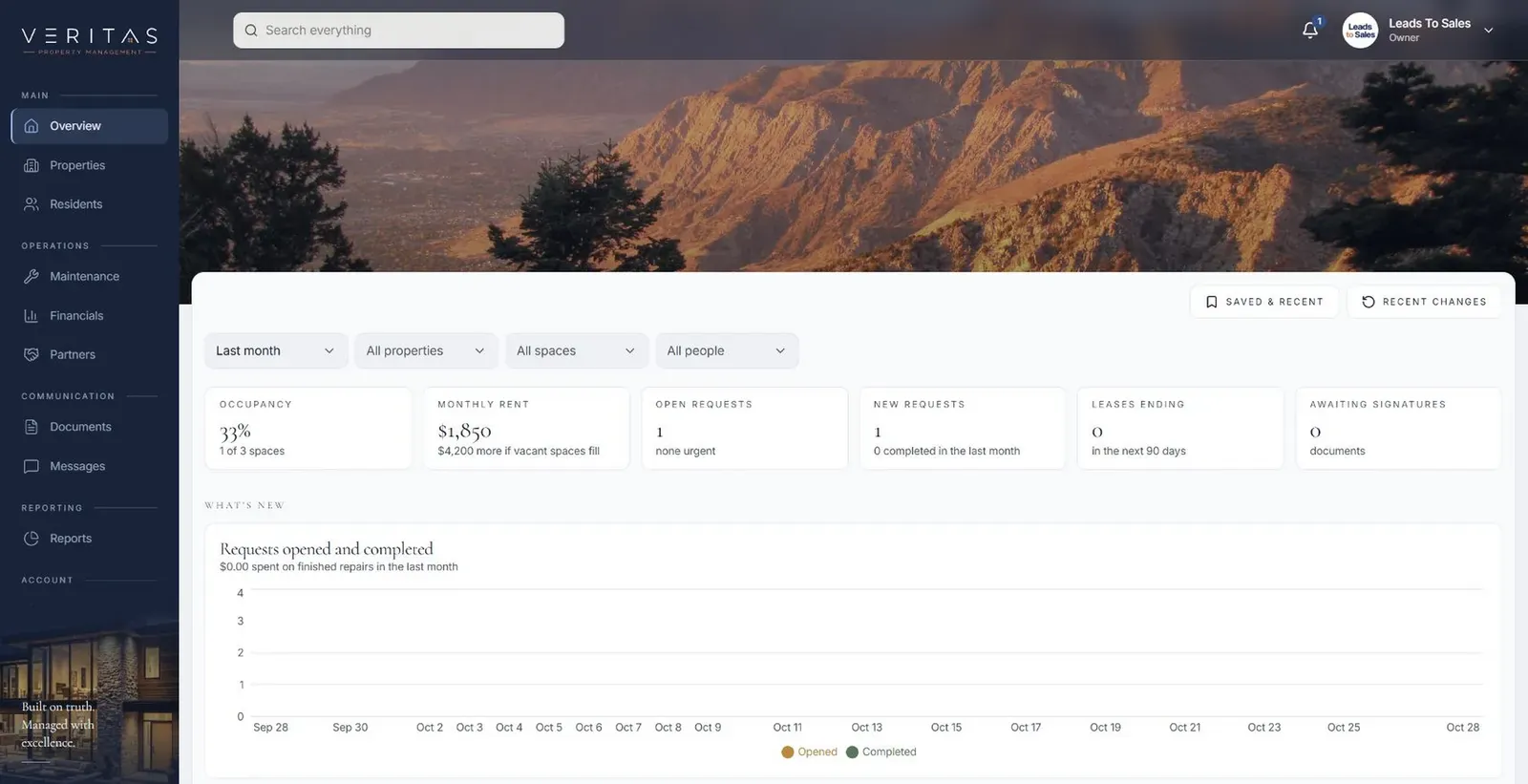
Many properties in one workspace, with each site's requests owned locally and visible to the people who need them.

All highlighted work →
Veritas Property ManagementVeritas Property Management portfolio overview with properties, occupancy and requests In build · Residential property managementVeritas Property ManagementTenants, owners and staff connected around the same requests, records and updates.View the project →

Start with the problem. We'll build the possibility.

Tell us what slows your team down. We'll map it with you and suggest a useful first release, whether you're in Dallas or anywhere in Dallas–Fort Worth.