Dallas, TX
sales software · dallas

Field Sales Software for Door-to-Door, In-Home and On-Site Teams

Reps who sell in person need their day on one screen, not five apps and a notebook. Oak Cliff Software builds field sales software for door-to-door, in-home and on-site teams from McKinney to Grand Prairie.

3 min read · 4 sections · 3 answers

No overlap

Clear territories.

More time selling

Routes and logging on one screen.

Live visibility

The day as it happens.

Faster delivery

Signed sales create the job.

Territories, routes, appointments and visit logging live in one mobile app, and managers see coverage and results across the map.

01

Territories on a map

Managers draw territories by neighborhood or zip code and assign them to reps or teams. Coverage shows which streets have been worked.

  • Territories by area or zip code
  • Assignments by rep or team
  • Coverage by street
  • Do-not-knock lists
02

A rep's day on one screen

Today's appointments and stops in order, with directions and customer details. Visits, photos and signatures are saved on the phone without signal and sync later.

// how field sales software flows
  1. 1 Territory assigned
  2. 2 Route planned
  3. 3 Visit logged
  4. 4 Appointment set
  5. 5 Sale recorded
03

A live field dashboard

Activity, appointments and sales by area and rep as the day goes. Location is recorded only during working hours and as your policy allows.

TodayWith field sales software

✕Territories on paper

✓Territories on a shared map

✕Notes entered at night

✓Visits logged on the spot

✕Sales retyped for install

✓Signed sale creates the job

04

From signed sale to delivery

A signed sale creates the install or service job, and commissions can be calculated from the same record.

The system handles

  • Planning routes
  • Logging location and time
  • Updating the dashboard

Your people decide

  • Drawing territories
  • Customer conversations
  • Pricing in the field
your first release

What a first field sales software release includes

A focused starting point, shaped with your team in Discovery and adjusted to how your Dallas team works. Then we build on it.

  1. Discover
  2. Design
  3. Build
  4. Launch
  5. Optimize
Plan your first release →
release planField Sales Software · v1.0Ready to scope
  • Territory maps01
  • Mobile route and visit app02
  • Offline logging03
  • Field dashboard04
  • Delivery and commission handoffs05
  • Handover runbook and owner register06
Then: connect more tools, add automation and AI as your team is ready.
in practice

What field sales software looks like day to day

Illustrative scenarios, not client stories.

A roofing and solar team across Collin County

Picture managers assigning neighborhoods each morning, reps logging every knock, and a dashboard showing which areas still need coverage.

Build something like this →Every system is shaped around your own process.
faq

Field Sales Software: questions we hear

Still unsure? Ask us directly.

Does it work without signal?

Yes. Visits sync when the rep is back in coverage.

Does it track locations?

Only during working hours and as your policy allows.

Who owns the software?

You do. The code, the data and the documentation are yours after launch.

built by our team

See the pattern in a real system

Recruiting, training, contracts and commissions in one sales platform, where a signed and paid deal starts delivery.

All highlighted work →
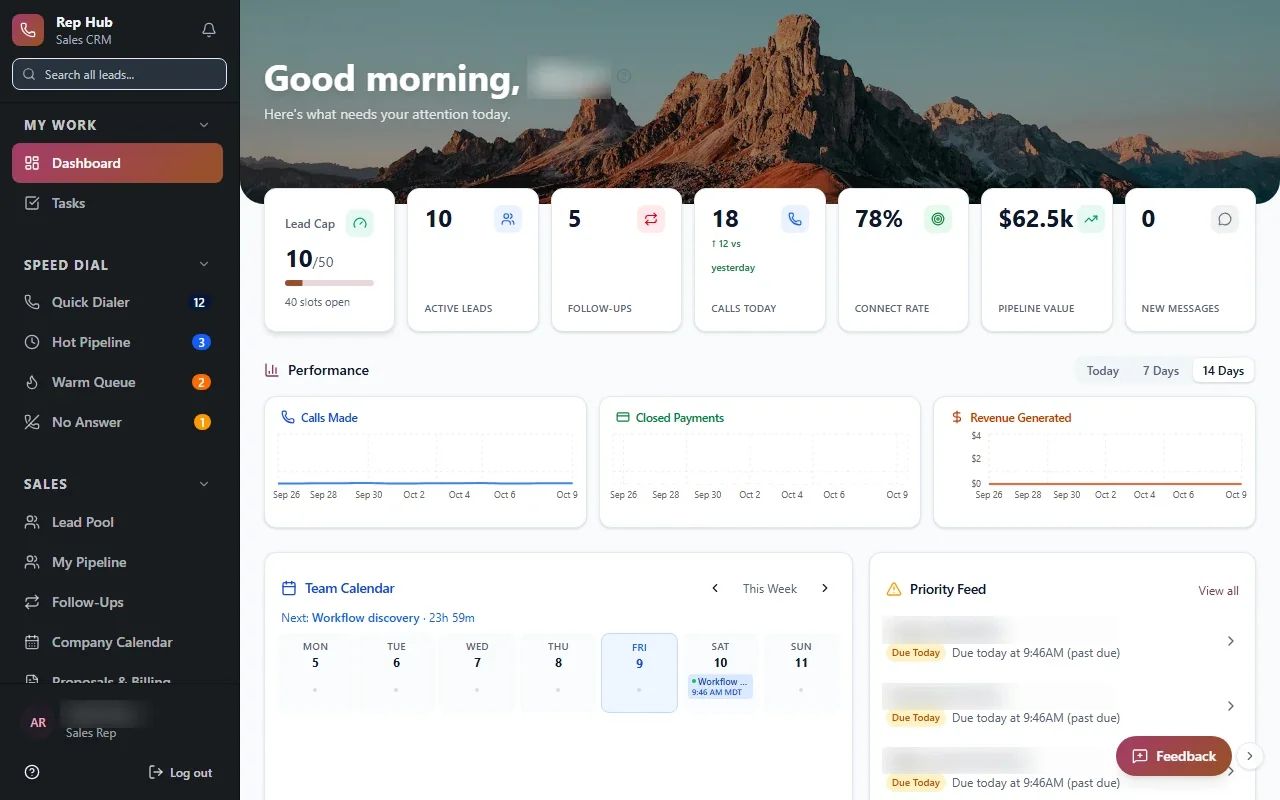
Rep HubRep Hub sales dashboard with lead pipeline, team performance, calendar and tasks Built · Sales organizationRep HubFrom joining the sales team to delivering the sale, in one connected platform.View the project →

Start with the problem. We'll build the possibility.

Tell us what slows your team down. We'll map it with you and suggest a useful first release, whether you're in Dallas or anywhere in Dallas–Fort Worth.