Oak Cliff Software provides web application development for Dallas–Fort Worth businesses that need software people actually open every day. We plan each app around three questions: who will use it, what they need to finish, and which location they work from.
A website tells people about you. A web app lets them get work done.
Many searches for web development in Dallas are really about a marketing site. That is a fine thing to have, but it is a different job. A website explains what you do. A web application runs in the browser and handles real work: signing in, submitting a request, approving a quote, updating a job. That second kind is where our web application development work sits.
If your team is asking for any of the following, you are probably describing a web app rather than a website.
- A login where customers see their own orders, requests or documents
- A form that creates a job and routes it to the right person
- A shared screen showing the status of work across locations
- A mobile-friendly checklist staff complete on site
Apps for your customers
Customer-facing apps work best when they answer the question a customer would otherwise call about. Where is my request? What do I owe? When is the technician coming? If the app answers those clearly, phone volume drops and your staff get time back.
Our Property Management Platform, now in build, gives tenants and owners their own portals. A tenant can submit a maintenance request with photos, then follow it through review, assignment, updates and closure. Staff work the same request from their side, and many properties live in one workspace.
For a Dallas business with customers spread across several sites, web application development should keep each customer's view tied to the location that serves them. That way the right office sees the request and follows up.
- 1 Define the users
- 2 Design the key screens
- 3 Build and test
- 4 Launch
- 5 Improve with feedback
Apps for staff at the front desk, on the floor or in the truck
Staff apps get used in less than ideal conditions: a crew lead finishing notes in a truck outside a job in Garland, a busy front desk at opening time, a technician with one free hand. We design for those moments with large tap targets, short forms and an obvious next step.
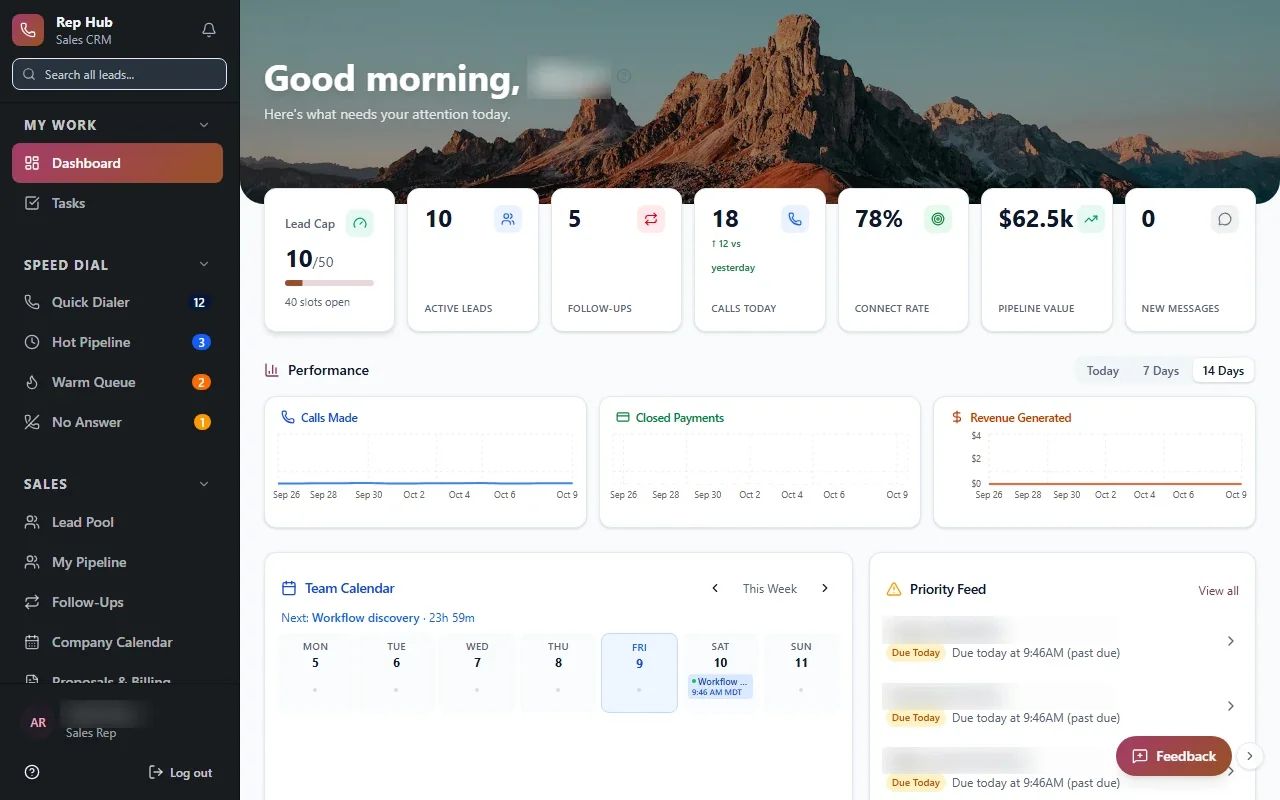
In Rep Hub, for example, reps work from one workspace for leads, calls, proposals and contracts, and a signed and paid deal moves straight into activation and delivery. Nobody has to remember to tell the next team.
Owners researching app development in Dallas often assume they need separate phone apps from an app store. Many do not. A mobile-friendly web app runs on any device with a browser, and one update reaches everyone at once.
- Layouts that work on phones, tablets and desktops
- Checklists and forms that save progress as people go
- Photo capture attached directly to the job or request
- A personal queue showing what each person owns today
✕Customers call to ask where their request stands.
✓Customers sign in and check status themselves.
✕Crews fill out paper sheets that arrive late.
✓Crews complete mobile checklists with photos on site.
✕Vendors get jobs by text and reply whenever.
✓Vendors accept jobs and post updates in their portal.
✕Each office keeps its own copy of the data.
✓Every location works from one shared set of records.
✕Testing a new idea requires a big build.
✓An MVP puts the core idea in front of users.
Apps for partners, vendors and owners
Some of the most useful apps sit between you and the people you depend on: vendors, subcontractors, property owners or referral partners. A simple partner login can replace a surprising amount of back and forth.
A partner app might let a vendor accept an assigned job and post updates, let an owner view reports for their properties, or let a referral partner submit a lead and see what happened to it. Each partner sees only what belongs to them.
In the Property Management Platform, a vendor phase is proposed as a next step. That is a common pattern. Start with customers and staff, then open a partner view once the core workflow is steady and your team trusts it.
From MVP to everyday tool
If you are testing a new idea, MVP development keeps the first version small enough to put in front of real users early, while still being solid enough to keep and build on.
The point of an MVP is learning. Before Build starts, we agree on what you want to find out, such as whether customers will use self-service or whether staff prefer the new checklist, so the release answers a real question.
Our Roofing Quote Tool concept shows where to draw that line. The full idea runs from an address to aerial images and property data, measurements the roofer verifies, pricing rules and a draft quote, and later scheduling, materials and invoicing. A first release could stop at the draft quote and prove the core before anything else is built.
This is how we approach web application development in DFW for new products and internal tools alike: one focused release, tested by you during Build, then improved from real use.
The system handles
- Notifications and confirmations
- Account and access management
- Data syncing
Your people decide
- Product decisions
- Customer support
- Content and pricing
What stays the same behind every screen
Customers, staff and partners each see a different app, but underneath they should share one set of records. When a tenant submits a request, staff should not retype it. When a vendor closes it out, the owner's report should already reflect it.
Performance matters too. Pages should load quickly on a weak signal at a job site, and forms should not lose what someone typed if the connection drops. We test on the kinds of phones and tablets your team actually carries, not only on a developer's laptop.
Getting this foundation right is what keeps web application development for Dallas multi-location groups from turning into several disconnected apps that each need their own upkeep.
- One shared set of records across customer, staff and partner views
- Access rules where staff see their own site and leaders see across sites
- Connections to accounting, calendars and other tools where the vendor's APIs or integration options allow
- Code and data owned by you, not locked to us